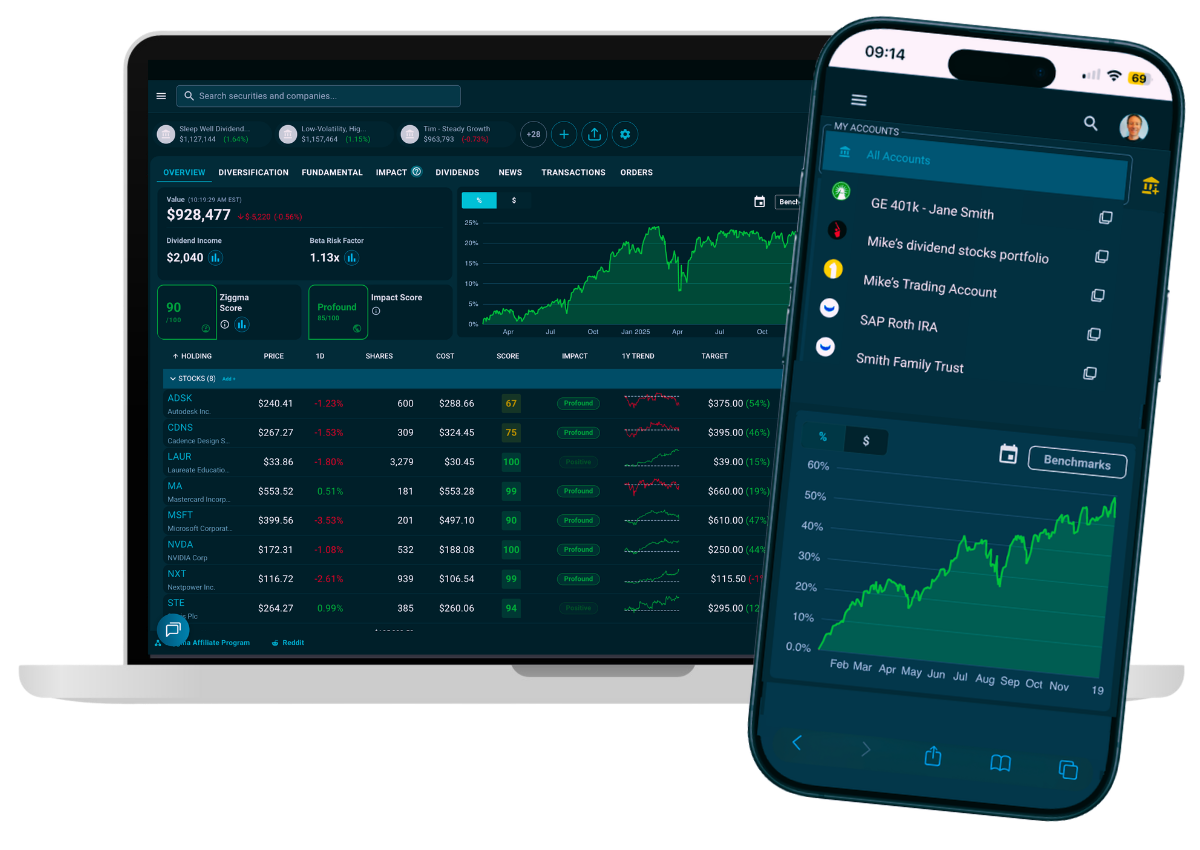
Linking a brokerage account to Ziggma takes under two minutes. Ziggma uses Plaid and Snaptrade — the same connection technology trusted by Charles Schwab, Webull, Robinhood, Betterment, or SoFi — to securely read your holdings. Your login credentials never touch Ziggma's servers.
Linking a brokerage account means giving Ziggma read-only access to your holdings, balances, and transactions. Ziggma never gains the ability to place trades or move money.
The connection runs through a secure financial data aggregator — either Plaid or Snaptrade, depending on your broker. Both act as intermediaries between your broker and Ziggma. Neither exposes your credentials to Ziggma.
The process uses an OAuth flow. You authenticate directly with your broker inside an aggregator-hosted window. Ziggma never sees your username or password.
Once connected, Ziggma syncs your portfolio automatically. Your holdings appear in your Ziggma dashboard in real time.
Used for most major US retail brokers — including Fidelity, Charles Schwab, Robinhood, E*TRADE, and Vanguard. Plaid supports over 12,000 financial institutions and holds SOC 2 Type II and ISO 27001 certifications.
Used for brokers with direct API connections, including Interactive Brokers and select international institutions. Snaptrade specializes in brokerage-grade API integrations and meets the same enterprise security standards as Plaid.
You'll need to be able to log in to your broker — Fidelity, Charles Schwab, Robinhood, E*TRADE, Interactive Brokers, or any other supported institution.
For brokers that support OAuth — including Fidelity and Charles Schwab — you'll authenticate directly on your broker's own website. No credentials are entered inside Plaid or Snaptrade.
For non-OAuth brokers, you'll enter your username and password inside a secure Plaid or Snaptrade hosted window. Ziggma never receives or stores these credentials.
Not sure if your broker uses OAuth? Plaid and Snaptrade select the method automatically.Most brokers require 2FA during the connection process — regardless of whether they use OAuth or credential-based login. Have your phone, authenticator app, or SMS-capable number ready before you start.
Account linking is available from day one of Ziggma's 7-day free trial. Start your free trial if you haven't already — no credit card required to sign up. See Ziggma's plans for a full feature comparison.
With OAuth, you authenticate directly on your broker's own website — not inside a third-party window. Fidelity, Charles Schwab, Robinhood, and most other major brokers support OAuth. Ziggma automatically uses OAuth where available.
Sign in to the Ziggma app. If you haven't started your free trial yet, registration takes under a minute.
Click the + Link Account button in the top right of your dashboard. Alternatively, navigate to Connected Accounts in the left sidebar — linking is the only option on that page.
Type your broker's name into the search bar and select it from the results. Ziggma automatically routes the connection through the best aggregator for your broker.
How you log in depends on your broker.
You are redirected to your broker's own login page. Enter your credentials there. After logging in, your broker asks you to authorize read-only access for Ziggma — click Allow and you are returned automatically.
You enter your username and password inside a secure aggregator-hosted window. Ziggma never receives or stores your credentials.
Most brokers require 2FA during the connection. Enter the code sent to your phone or authenticator app. This step is controlled entirely by your broker.
Once authenticated, Ziggma receives a read-only data token. Your holdings, balances, and transactions appear in your Ziggma portfolio tracker within seconds.
Yes — linking your brokerage account through Plaid or Snaptrade is safe. Both are established financial data aggregators that hold SOC 2 Type II certification, use enterprise-grade encryption, and operate on a read-only basis. Neither can place trades or access funds on your behalf.
Ziggma receives a read-only access token from whichever aggregator handles your connection. Your broker credentials never reach Ziggma's servers. Learn more on Ziggma's secure portfolio tracking page or read the full breakdown of Is Plaid safe?
Read-only access only — neither Plaid nor Snaptrade can place trades or move funds. You can revoke either connection at any time from your Ziggma settings or directly from your broker's connected apps panel.
Once your brokerage account is linked, Ziggma automatically syncs your holdings and runs them through its full suite of portfolio analysis tools. No manual data entry required.
Ziggma's Portfolio Checkup evaluates your holdings across quality, risk, diversification, and impact — and flags weaknesses automatically.
Each holding receives a Ziggma Score based on fundamental quality metrics. Your portfolio score aggregates these into a single number from 0 to 100.
Ziggma's Impact Score measures how positively or negatively your investments affect climate action, fair labor, resource use, and corporate accountability.
Ziggma's Diversification Score uses the Herfindahl-Hirschman Index (HHI) to quantify how concentrated your portfolio is — and where you're overexposed.
Link your brokerage account and get your full portfolio analysis — free.
Get your free Portfolio CheckupZiggma supports linking multiple brokerage accounts simultaneously. You can connect a Fidelity IRA, a Schwab taxable account, and a Robinhood account — and view them together in a single consolidated dashboard.
Plaid supports over 12,000 financial institutions. Popular brokers include:
Repeat the seven-step linking process for each account. Each connection is independent and can be revoked separately. Learn more about tracking investments across multiple accounts or explore how Ziggma compares to other financial account aggregators.
See your full portfolio in one place
Link your accounts securely through Plaid or Snaptrade — free to start, takes 2 minutes.
How to actually move the needle. Why public markets are where real impact happens, and how to act on it.
No spam. No newsletter — we'll only reach out for major updates.